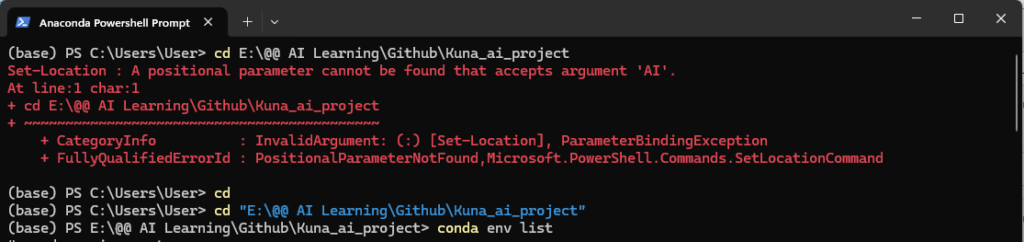
If you try to cd with a path or route that has spaces or special characters, you might face all kinds of weird errors since the command interface would think that you are doing other commands. As the first line and the first response show:
So how can we correctly cd with all kinds of paths/routes?
Very simple! You just need to double-quote the path/route after the cd command to change the directory!
Voila!
Have fun coding!